Free UXP Plugin · Adobe Premiere Pro

BeatMarker

Auto-detects BPM and places colored markers on your source clip. Cut to the beat — automatically.

No subscription. No account. No dependencies.

SUPPORTS .MP3 and .WAV files
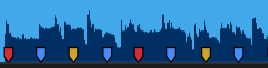
Waveform with beat markers
1
2
3
4
↓ Download Plugin (.ccx) View on GitHub
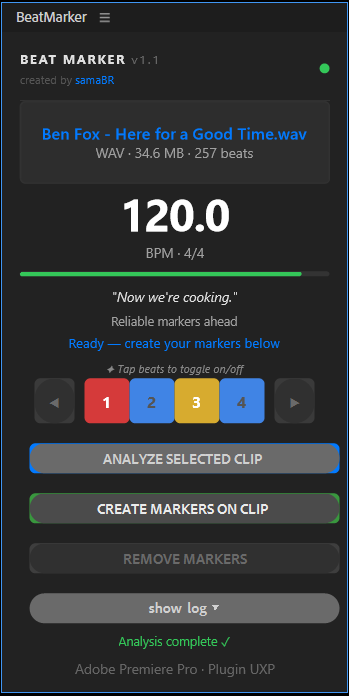
BeatMarker plugin panel

Everything you need.
Nothing you don't.

Built by an editor, for editors. One click to analyze, one click to mark.

🎯

BPM Detection

Automatically detects tempo from any WAV or MP3 file. No manual tapping, no guessing.

🎨

Colored Markers

Beat 1 in red, backbeats in blue, beat 3 in yellow. Instantly visual rhythm reference on your source clip.

📊

Confidence Indicator

See how reliable the detection was before committing. Green means rock solid. Red means check manually.

🎛️

Beat Selection

Toggle which beats to mark. Just the downbeat? Only 1 and 3? Your call — tap to toggle.

◀▶

Phase Adjustment

Grid landed off by one beat? Shift the phase without re-analyzing. One click left or right.

🌐

Bilingual

Full UI in English and Portuguese (PT-BR). Language detected automatically from your system.

Every beat has
a color.

The color system maps directly to beat position so you can navigate your timeline at a glance.

Red

Beat 1 — Downbeat

The strongest beat of the bar. Your primary cut point.

Blue

Beats 2 & 4 — Backbeats

Where the snare hits. The pulse that drives the groove.

Yellow

Beat 3 — Secondary Downbeat

Mid-bar emphasis. Great for secondary cut points and transitions.

Three steps.
Done.

01

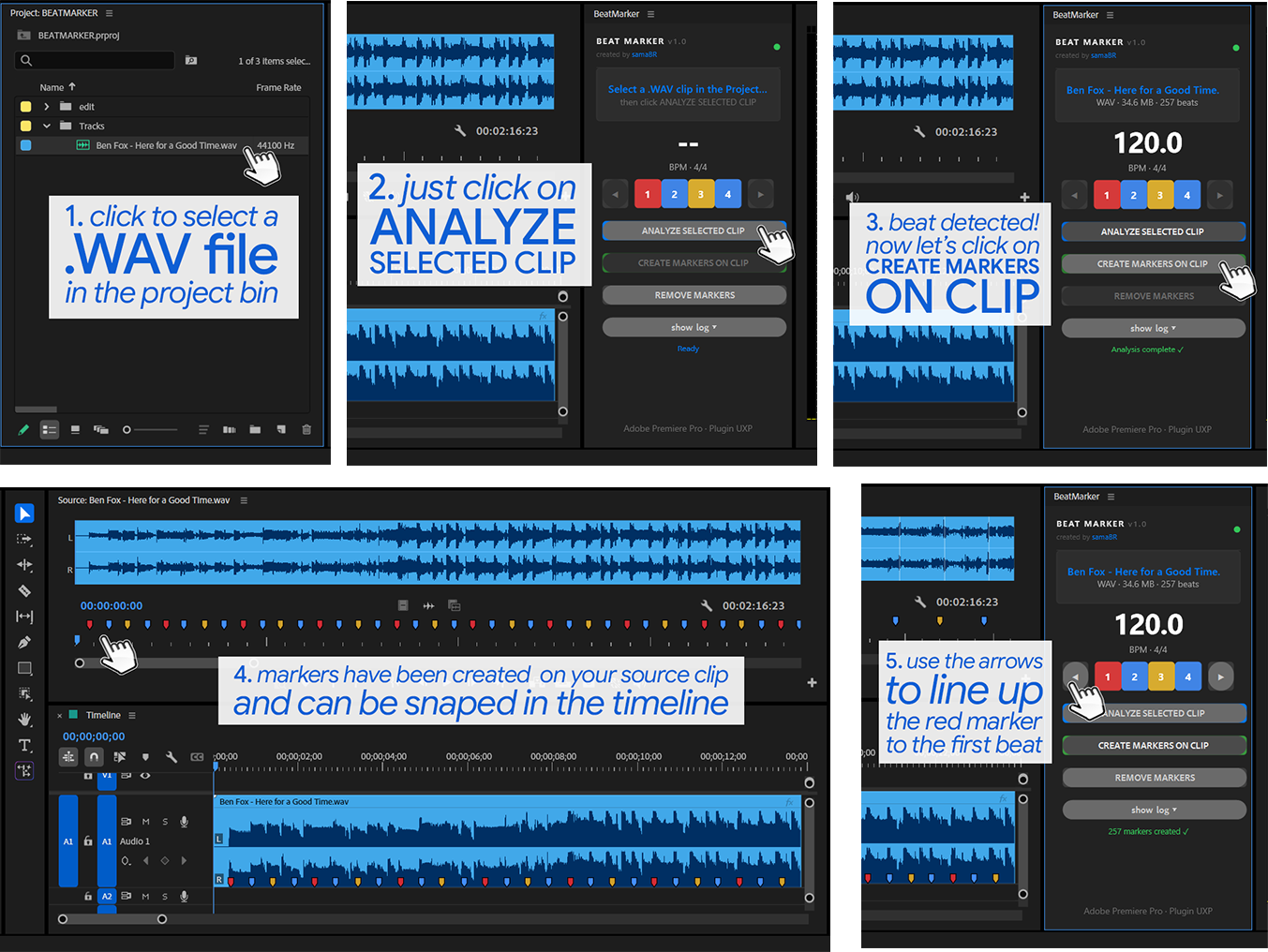
Select your clip

Pick any .WAV or .MP3 clip in the Premiere Pro Project panel.

02

Analyze

Click Analyze. BeatMarker detects the BPM and maps every beat.

03

Create markers

Click Create Markers. Colored markers appear instantly on your source clip.

04

Cut

Open the clip in the Source Monitor and cut to the beat with a visual grid.

⌨️ Navigate markers with keyboard shortcuts
Windows macOS
Next marker Shift + M ⇧ M
Previous marker Ctrl + Shift + M ⌘ ⇧ M

Works in the Timeline and in the Source Monitor.

Step by step guide

Up and running
in 30 seconds.

Download & install

Download the .ccx file, close Premiere Pro, double-click — done. No Node, no Python, no dependencies.

↓ Download Plugin (.ccx)
  • Adobe Premiere Pro 25.0 or later
  • Windows or macOS
  • WAV or MP3 audio files (4/4 time)
  • No additional software required
  • Free & open source (GPL v3)