Nintendo 3DS & Citra • v0.5.0

Gen6 CTRPlugin
Framework Overhauled

A friendly box of superpowers for Pokémon X, Y, Omega Ruby and Alpha Sapphire — built for players, not programmers. Spawn any Pokémon, shop anywhere, edit your team, read your rival mid-battle — all in plain-language menus, with a guide built right in.

⚔️ Pokémon X 🌿 Pokémon Y 🔴 Omega Ruby 🔵 Alpha Sapphire

🌐 7 languages, switchable in-plugin: 🇺🇸 English · 🇫🇷 Français · 🇩🇪 Deutsch · 🇮🇹 Italiano · 🇯🇵 日本語 · 🇧🇷 Português (BR) · 🇪🇸 Español

⬇ Download Latest View on GitHub
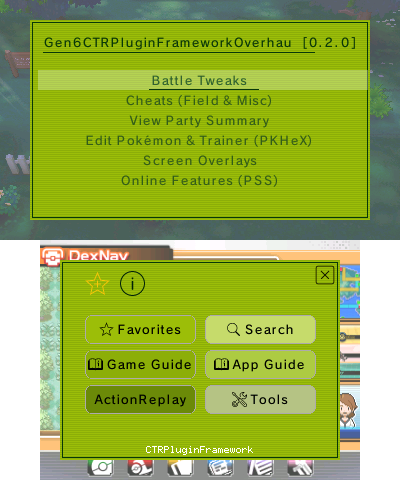
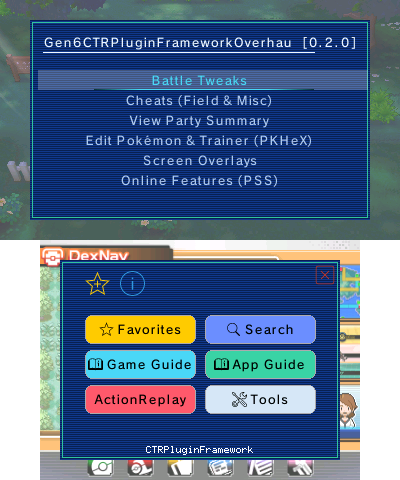
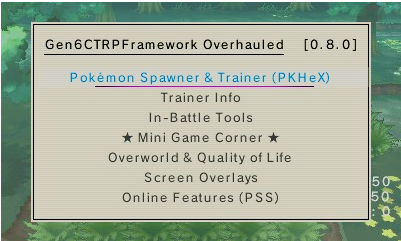
The plugin menu over Pokémon Alpha Sapphire — feature list on top, buttons below
Total Downloads
v0.5.0
Latest Version
25
Color Themes
4
Games Supported

Made by a curious player, with Claude

I'll be upfront: I'm not a programmer. I'm a curious player — someone who's good at testing, poking at things, and thinking hard about a problem and how it might be solved. Every feature here was built in back-and-forth with Claude, and that collaboration is exactly what let me materialize the things I kept wishing existed while I played.

Because that's where all of this came from — real needs, discovered while playing. I'd hit some friction and think "there should be a way to…", and then we'd go build it. If you love these games but have never touched homebrew, you're exactly who this is for.


A walk through the rooms

Here's the plugin roughly in the order you'd meet it. Nothing below is required reading — just a friendly look at what's inside.

🎛️ The menu

It starts with one button

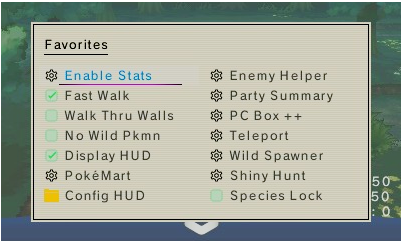
Press SELECT and the menu opens over your game. Move with the D-Pad, choose with A, go back with B. Highlight anything and press X for its info note, or Y to pin it to Favorites — and the bottom touch screen holds the big buttons (Favorites, Search, the two guides, ActionReplay, Tools). That's the whole language of it.

🔎 Spawn & catch

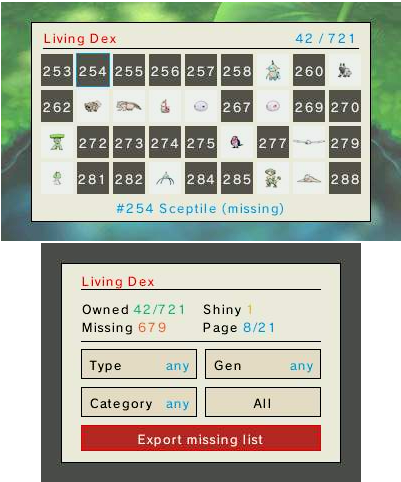
Find, then meet, any Pokémon

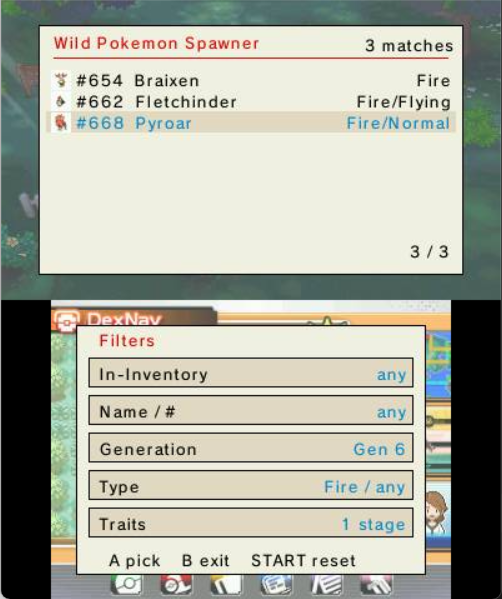
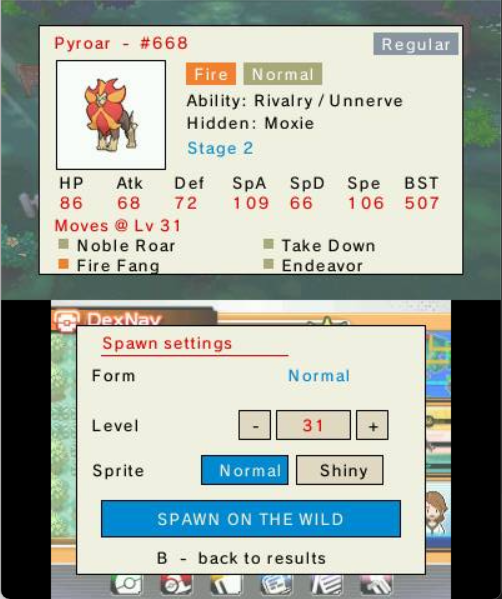
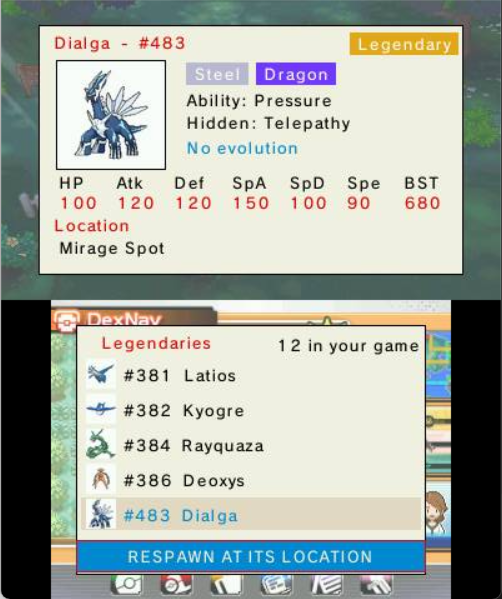
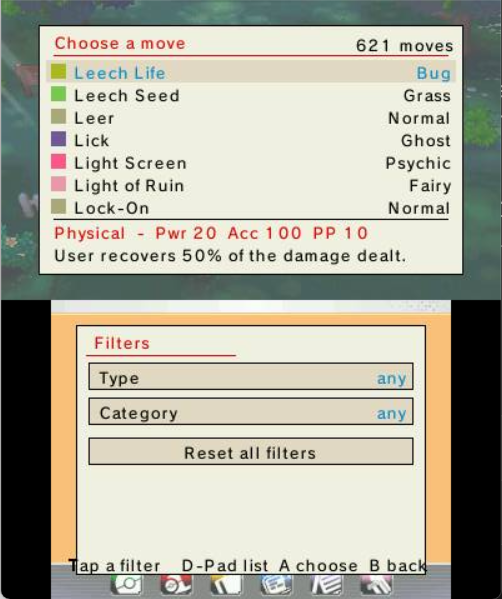
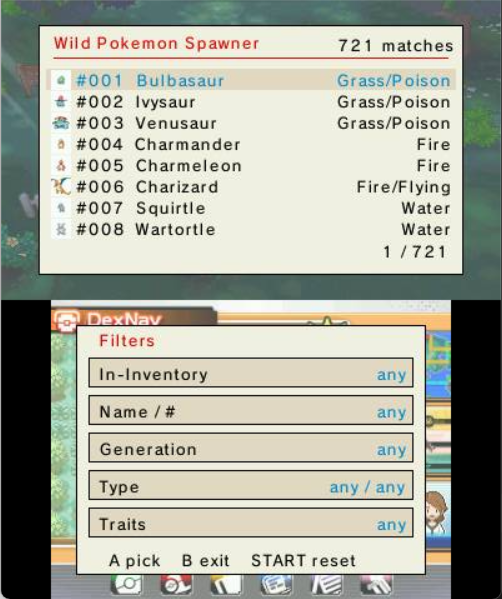
The Wild Pokémon Spawner is a live, filtered list of every species — results on the top screen, filters on the bottom. Narrow by name, Dex number, generation, type or what you already own; open a result for its full sheet, set form, level and Normal/Shiny, and spawn it into the grass. Lost a legendary? Respawn Legendary sends it back to its real location.

Wild Pokémon Spawner — results on top, filters below Filtered to Fire-types from Gen 6 A Pokémon's sheet with stats and spawn settings Respawn Legendary — send a legendary back to its location
🛒 Shop anywhere

Carry a Poké Mart in your bag

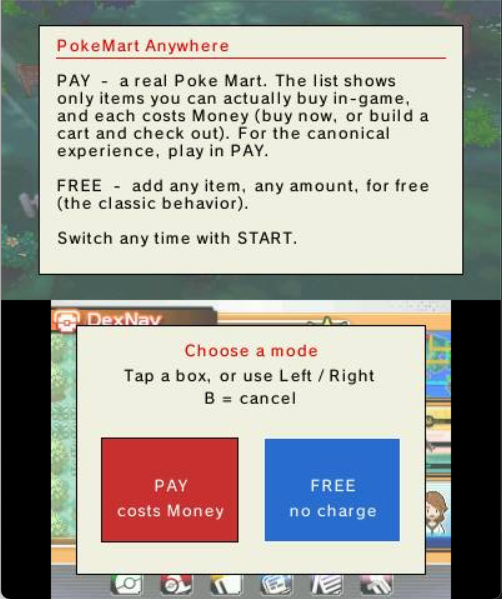
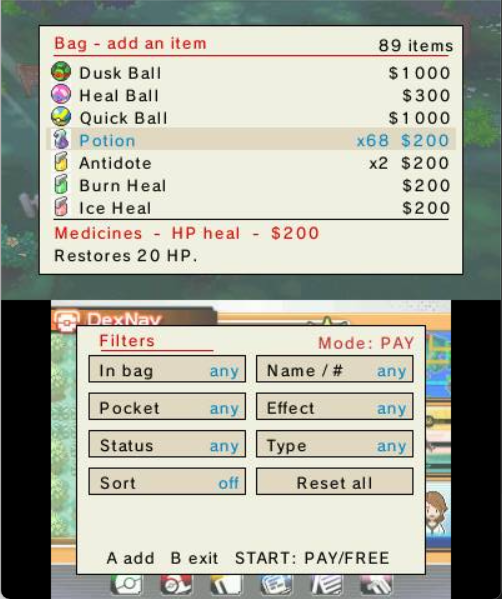
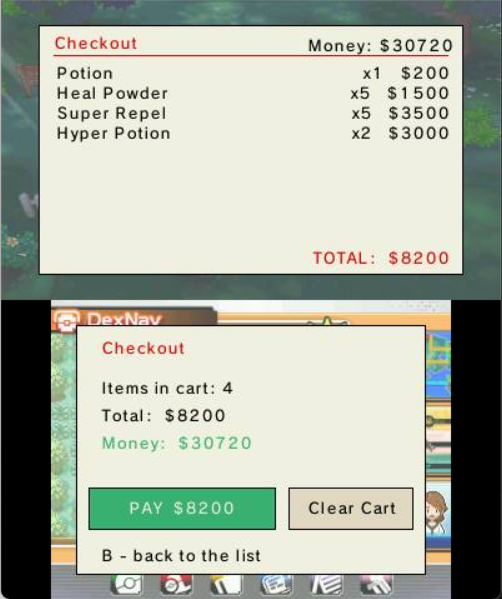
PokéMart Anywhere turns the item-adder into a real shop. FREE adds anything, any amount, for nothing; PAY narrows the list to what you can actually buy and charges your money. Buy on the spot, or build a cart and review it all at Checkout before you pay — and sort the whole list by name, price, type or how many you own.

PokéMart Anywhere — choosing FREE or PAY PAY mode with prices The cart and checkout against your money
🗃️ Build in your boxes

PC Box ++ — a visual editor for your storage

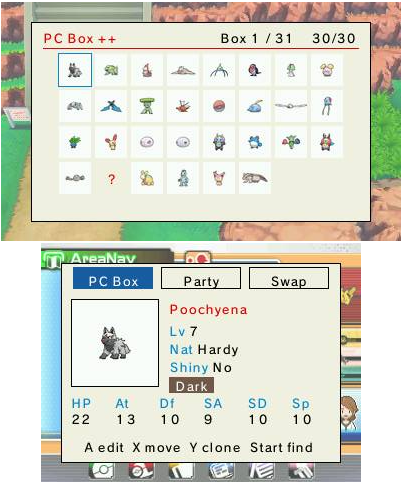
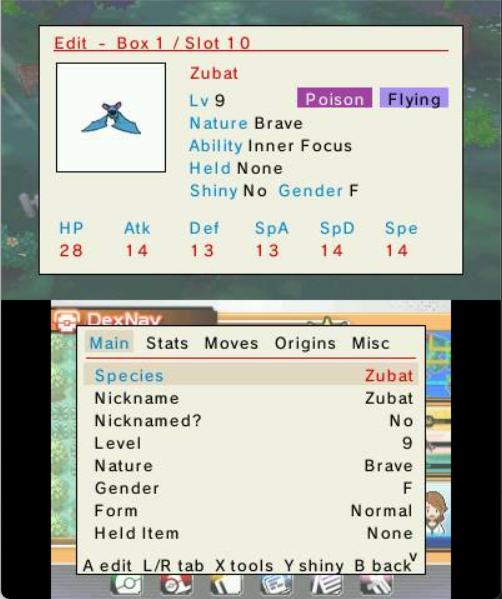
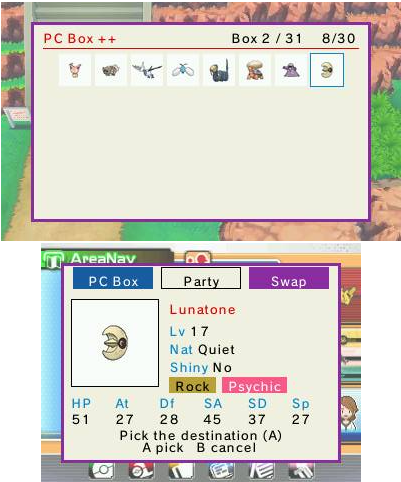
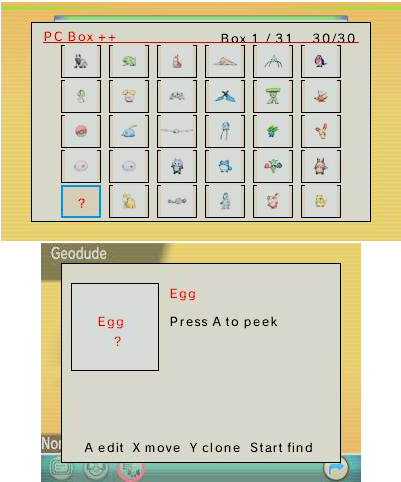
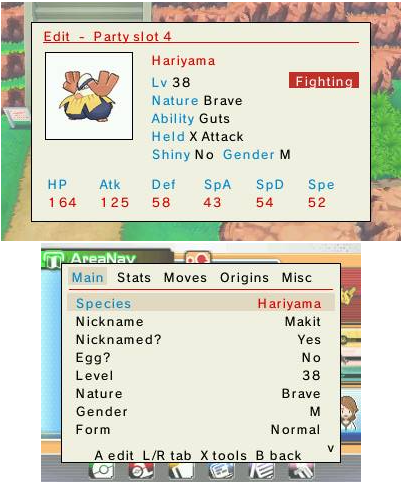
Your boxes shown as a grid of sprites, just like the in-game PC. Move, swap (X), clone (Y) and search (START) right on the grid, then press A for a tabbed editor — Main, Stats, Moves, Origins, Misc — where every field (species, IVs/EVs, moves, ability, held item, ball and more) is picked from a tidy on-screen list. No typing, no keyboard.

PC Box ++ visual grid with the selected Pokémon's card The tabbed editor — Main, Stats, Moves, Origins, Misc Choosing a move from a searchable, type-filtered list
🃏 Know your team

Your party, as sortable stat cards

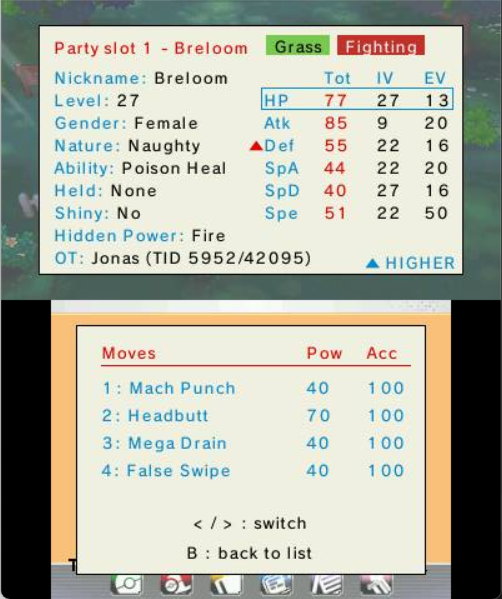
View Party Summary lays your team out as cards with the real, hidden numbers — stats, IVs, EVs, nature, ability, item and moves. Slide a selector over a stat and press A to jump to the teammate with the highest (or lowest) value; little ▲/▼ marks flag your team's best and worst.

A party member card with stats, nature, ability and moves
⚔️ Win the battle

Read your rival, and edit your team, mid-fight

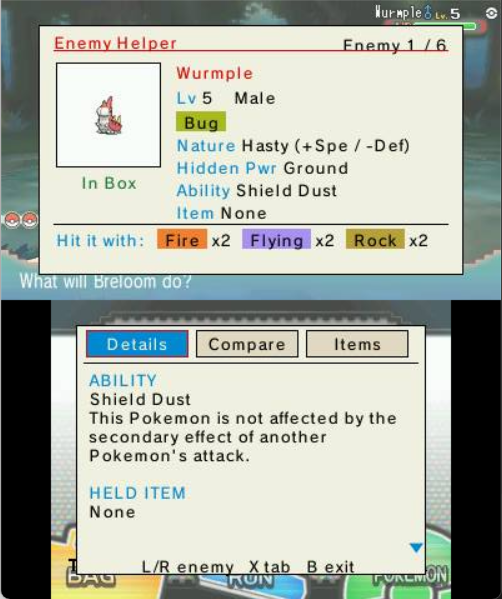
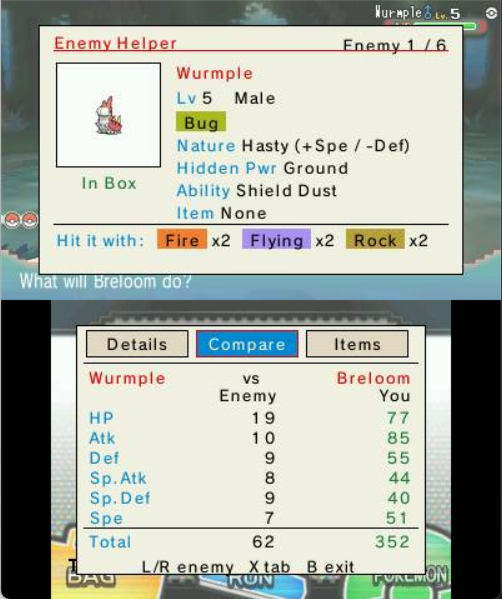
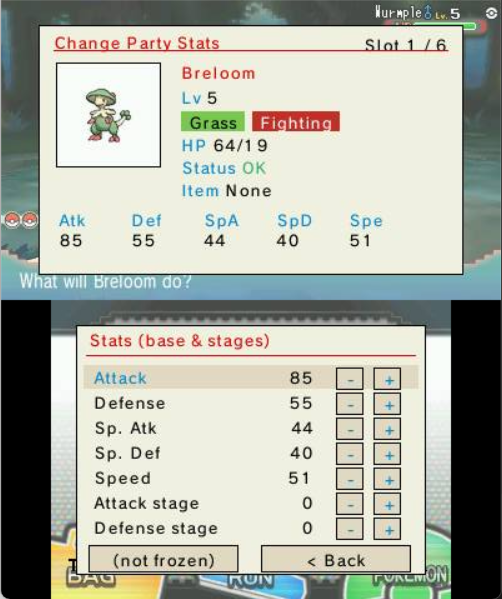
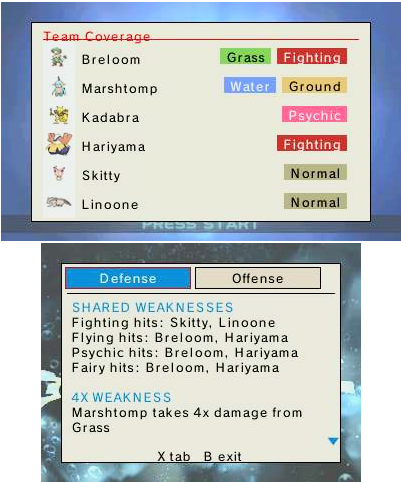
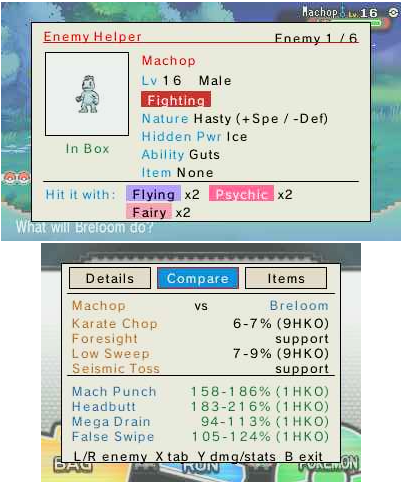
Enemy Helper is a coach card for the foe — it explains its ability, item and moves, lists the types that beat it, and compares its six stats against your active Pokémon (and even tells you whether you already own the species). Change Party Stats heals and edits your own team without leaving the battle, and Display Enemy Stats overlays the opponent's hidden data on the top screen.

Enemy Helper — the foe's details and held item Enemy Helper — Compare tab, the foe's stats vs yours Change Party Stats — editing your team mid-battle
🎰 Take a break

The Mini Game Corner — seven games

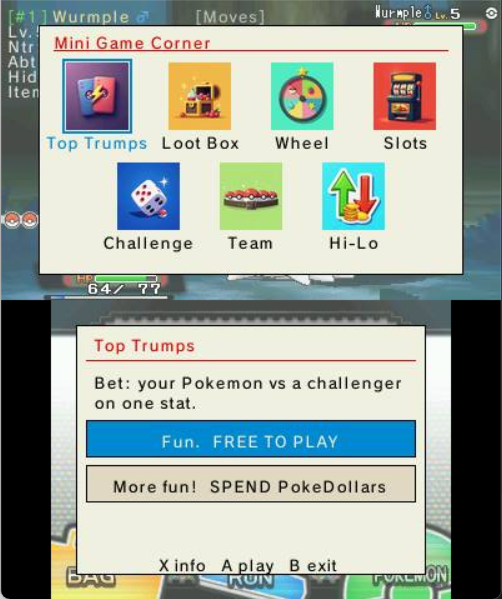
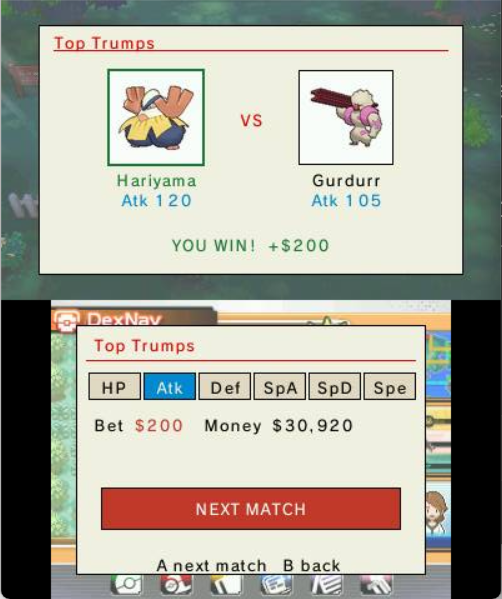
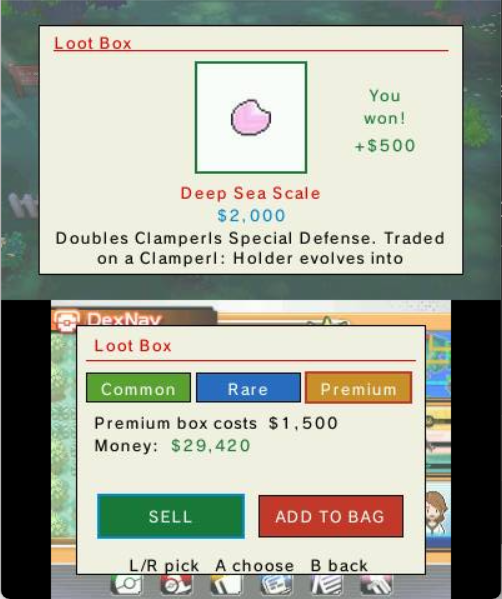
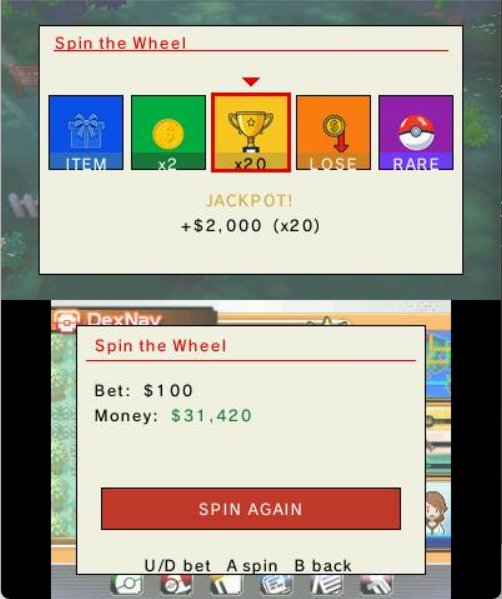
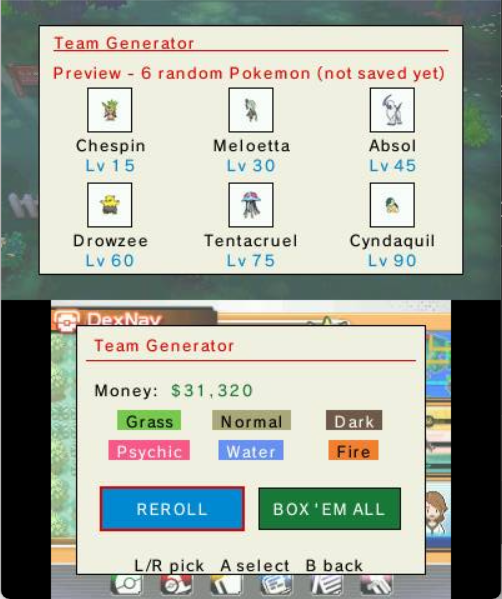
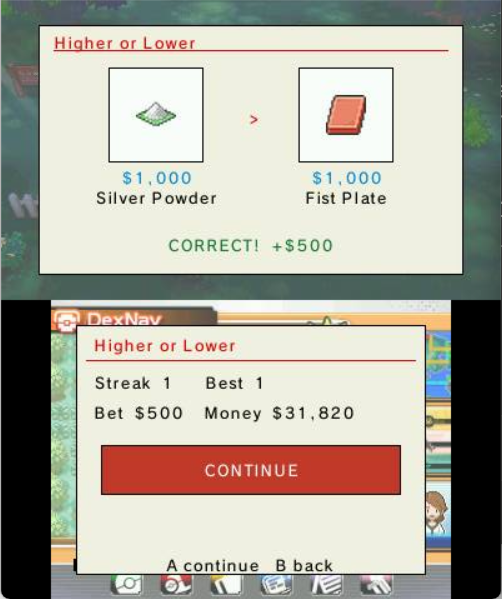
When you just want to play, there's a little arcade of seven games — loot boxes, slots, a prize wheel, a stat duel, higher-or-lower, a wild-encounter roll, and a random-team generator. A FREE / PAY switch decides the stakes: FREE keeps what you win and your money never changes; PAY puts real Pokédollars on the line.

The Mini Game Corner hub with seven game tiles Top Trumps — a stat duel, won Loot Box reward reveal Spin the Wheel landing a big multiplier Team Generator previewing six random Pokémon Higher or Lower — a correct guess
🧭 Smooth the journey

Quality of life, and an at-a-glance HUD

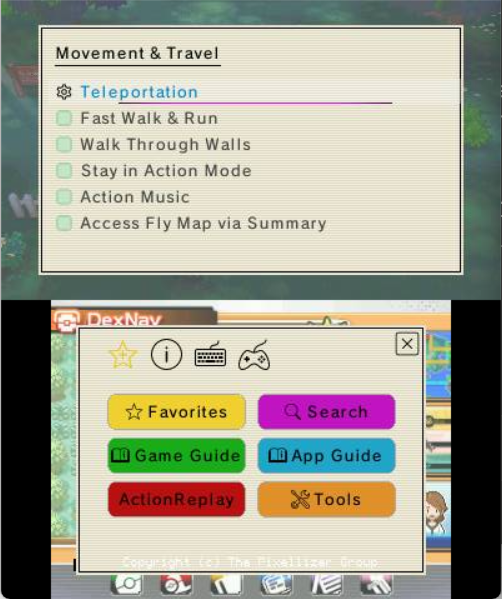
The Overworld & Quality of Life tools take the ache out of a long run — fast text, fast walk, teleport, walk through walls, instant eggs and more. And a small, configurable HUD can keep your money, clock, map position and lead's status right on screen while you play.

Movement & Travel options The HUD overlaid on the overworld
🧭 Travel anywhere

Teleport anywhere, your way

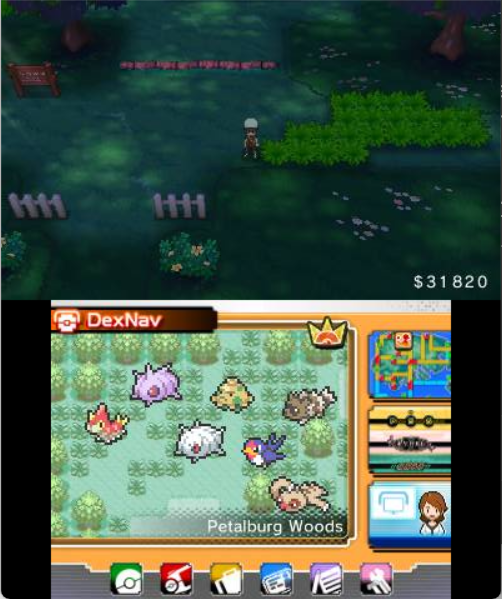
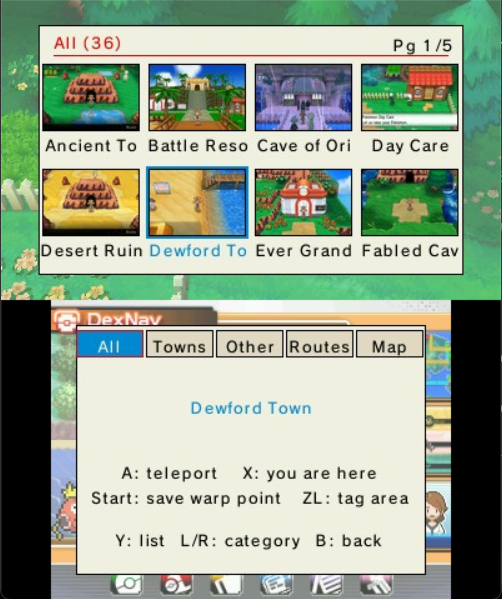
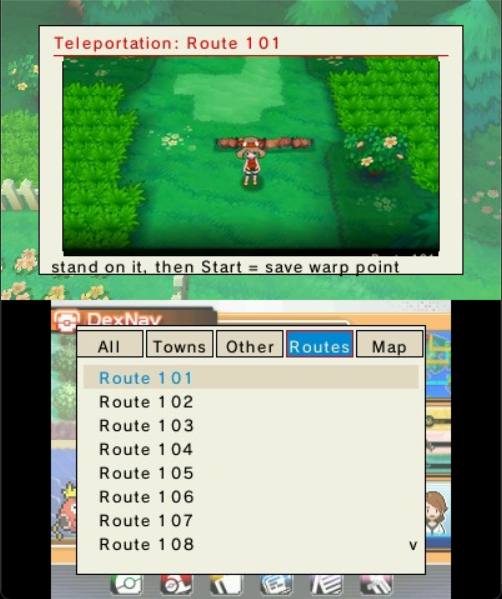
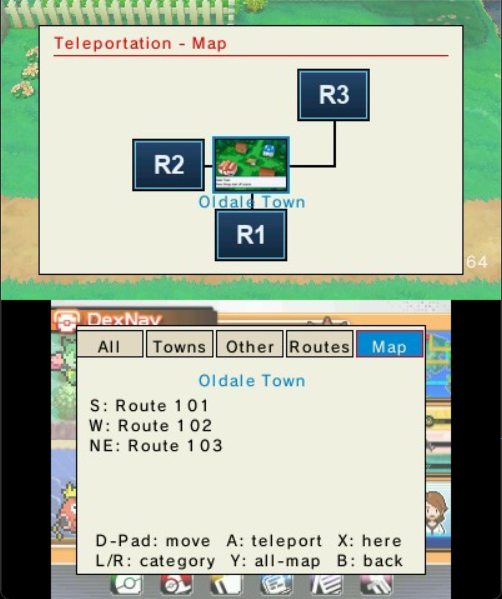
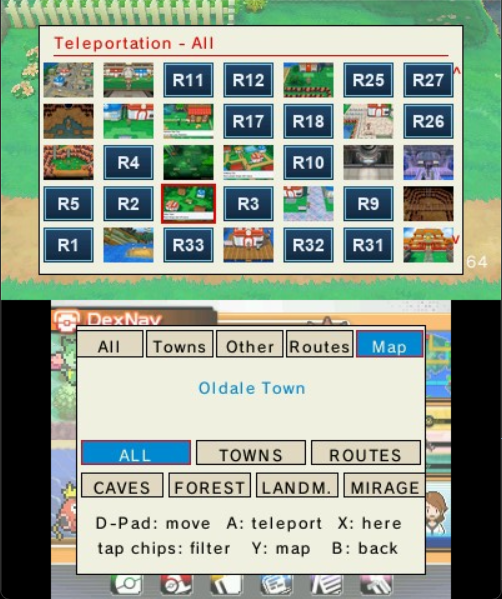
Teleportation drops you at any town, route or landmark in Hoenn. Pick a destination and HOLD L into any door to warp there — every place is sorted into tabs (All, Towns, Other, Routes 101–134, and a walkable Map). Press Y in the Map for a single picture-grid of every place, laid out roughly like Hoenn and filtered by tappable chips. X jumps the selection to where you're standing; Start saves your exact landing spot (and makes a route teleportable); ZL teaches it the hidden sub-maps it doesn't recognise yet. Everything you save lands in a hand-editable MyTeleport.txt that survives updates.

Teleportation — the location grid with tabs and the button legend below The Routes tab — Route 101 with its picture, ready to save a warp point The Map tab — Oldale Town centred, its connecting routes shown as tiles The Map tab's Y overview — a picture-grid of every place with filter chips below
🎨 Make it yours

Themes, Favorites, and a guide for everything

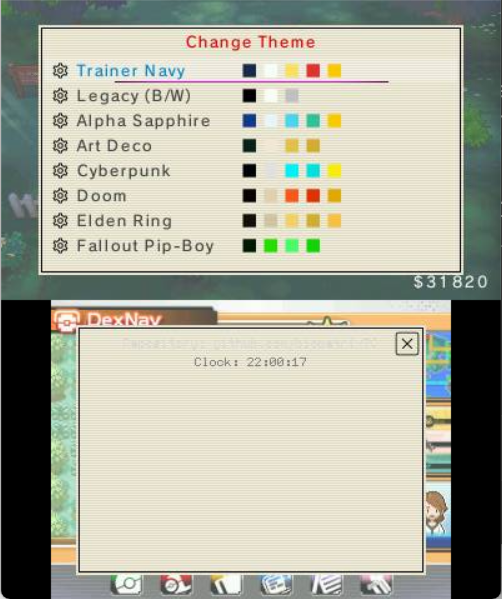
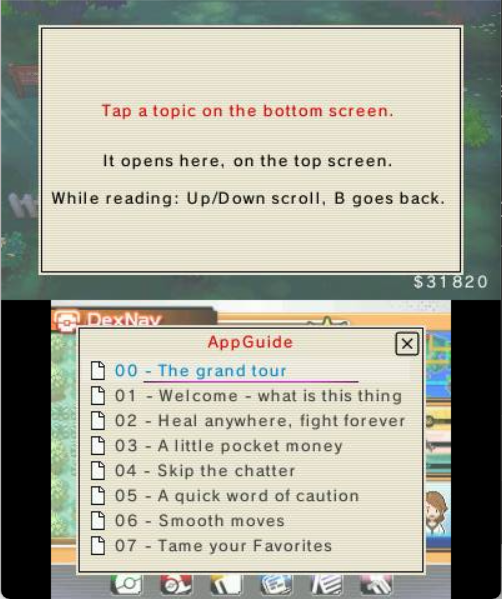
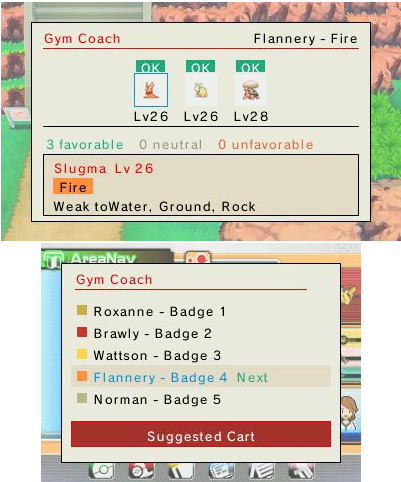
Twenty-five color themes restyle the whole interface, with your choice remembered between sessions. Pin your most-used features to Favorites and rebind the menu keys in Tools › Hotkeys. And if you ever feel lost, a 23-page App Guide (written like a guided adventure) and an info note on every single function are always one button away.
The theme picker with color swatches The built-in App Guide reader

The rest, in plain language

A quick index of what else is in here — the small comforts and the safety nets, each named for what it actually does.

📖

23-Page App Guide

Built-in instruction guide that walks you through every feature, sequenced to match your game progress.

ℹ️

Info Button on Everything

Every cheat and option has a friendly (i) button with a plain-English explanation of what it does.

🃏

Party Summary Cards

View your team's IVs, EVs, Nature, Ability, item, and moves as sortable stat cards with ▲/▼ indicators.

🔎

Pokémon & Item Finders

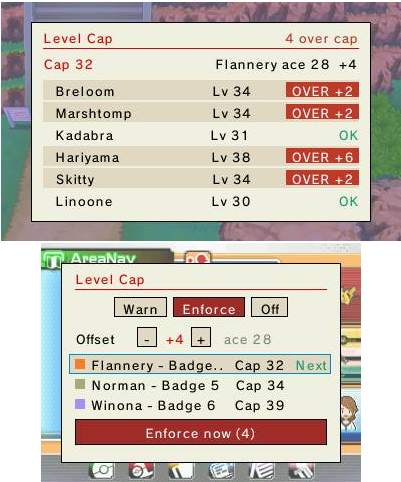
Browse and filter every species in a dual-screen Wild Pokémon Spawner — by name, type, generation or traits — then spawn it. Same picker for your whole bag, plus a tidy Legendary respawn list.

Smart Favorites

Two-column favorites list with drag-to-reorder, custom aliases, and instant access to your most-used cheats.

🖥️

On-Screen HUD

Translucent overlay showing money, clock, Battle Points, Pokémiles, coordinates, and Pokémon status — all configurable.

⚔️

In-Battle Tools

Read the foe with Display Enemy Stats, get coached by Enemy Helper (matchup + stat compare), and heal or edit your own team with Change Party Stats — all mid-battle.

🗃️

PC Box ++ Editor

A visual grid of your boxes: move, swap, clone and search on the grid, then edit species, IVs/EVs, moves, ability, item and more from on-screen lists — no keyboard.

🎰

Mini Game Corner

A seven-game arcade — loot boxes, slots, a prize wheel, stat duels and more — playable for free, or for real Pokédollars if you want to wager.

🔔

Friendly Notifications

On-screen toasts confirm when cheats activate or deactivate — no more guessing if something worked.

🛡️

Safety Guardrails

Visual warnings for risky cheats (Key Items, TMs/HMs) protect your save file from accidental corruption.

⌨️

Custom Hotkeys

Map your favourite cheats to button combos via Tools → Hotkeys for one-press activation.

🎨

25 Color Themes

Instant preview of every theme: Game Boy, Persona 5, Cyberpunk, Pop Art, Wild West, and many more.

🗺️

Game Guide Included

Step-by-step Professor Oak Challenge walkthrough for ORAS baked right into the plugin.

🌐

Languages

🇺🇸 English • 🇫🇷 French • 🇩🇪 German • 🇮🇹 Italian • 🇯🇵 Japanese • 🇧🇷 Portuguese (Brazil) • 🇪🇸 Spanish
7 languages, switchable in-plugin.


Screenshots

Click any image to view full size.

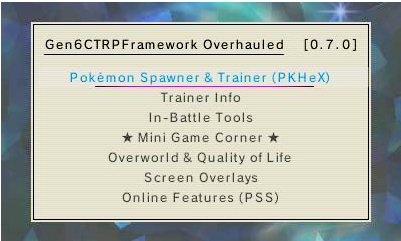
The main menu over the game
The main menu
Wild Pokémon Spawner — a sheet and spawn settings
Wild Pokémon Spawner
PokéMart Anywhere — the cart and checkout
PokéMart Anywhere
PC Box ++ visual grid and card
PC Box ++
View Party Summary stat card
Party Summary card
Enemy Helper — Compare tab
Enemy Helper — Compare
The Mini Game Corner hub
Mini Game Corner
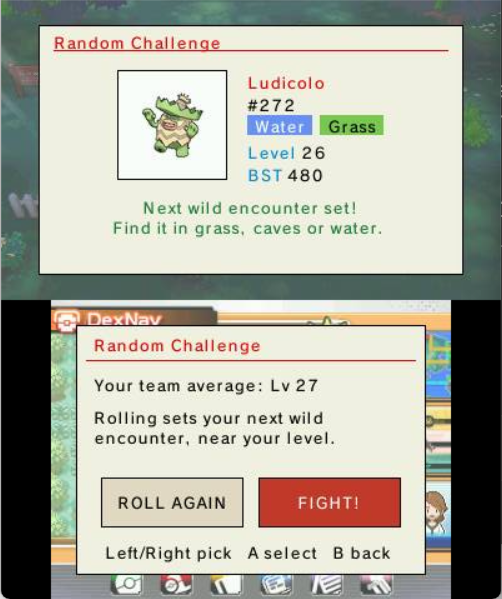
Random Challenge — a rolled wild encounter
Random Challenge
The theme picker with color swatches
25 color themes
Teleportation — the walkable Map tab with route tiles
Teleportation — Map
Teleportation — the Map's Y overview grid of every place, with filter chips
Teleportation — Overview

Make It Yours

Instant preview — the plugin remembers your choice between sessions.

Game Boy Classic
Game Boy Classic
Alpha Sapphire
Alpha Sapphire
Wild West
Wild West
Pop Art
Pop Art
Art Deco
Art Deco
+20 more themes
inside the plugin

How it grew


Games & status

All four Generation 6 titles are supported — X, Y, Omega Ruby and Alpha Sapphire — on real hardware and on Citra emulator. One .3gx auto-detects which game you're running.

⚔️

Pokémon X

Nintendo 3DS • 0004000000055D00

Content ready
🌿

Pokémon Y

Nintendo 3DS • 0004000000055E00

Content ready
🔴

Omega Ruby

Nintendo 3DS • 000400000011C400

Content ready
🔵

Alpha Sapphire

Nintendo 3DS • 000400000011C500

Content ready
💻 Also works on Citra emulator — Citra natively supports 3GX plugins using the same folder structure as Luma3DS. Place the extracted luma/ and Gen6CTRPluginFramework/ folders into Citra's User Directory under sdmc/, then enable 3GX plugin loader in Citra's System settings. See the install section below for details.

Download

Latest Release
Gen6CTRPluginFrameworkOverhauled v0.5.0
Released June 26, 2026 • Platform Nintendo 3DS (3gx) • License GNU GPL-3.0
Total Downloads
v0.5.0 Jun 26, 2026 Loading… Download
v0.3.3 Jun 24, 2026 Loading… Download
v0.3.2 Jun 21, 2026 Loading… Download
v0.3.1 Jun 21, 2026 Loading… Download
v0.3.0 Jun 20, 2026 Loading… Download
v0.2.1 Jun 20, 2026 Loading… Download
v0.2.0 Jun 18, 2026 Loading… Download

How to Install

For Nintendo 3DS with Luma3DS CFW, or on Citra emulator — see the note at the bottom.

Universal-Updater UniStore QR code
⚡ Easiest: install & update via Universal-Updater

Have Universal-Updater on your 3DS? Scan this QR in Settings → Select UniStore → + → Scan QR Code, then run Download (latest). It fetches the newest release and installs everything to your SD card — no PC needed. (3DS hardware only.)

1

Download the latest release

Grab the .zip from the Releases page and extract its contents.

2

Extract everything to your SD card root

Unzip to the root of your SD card. It adds two folders there: luma/plugins/<your game's Title ID>/ (the .3gx plugin) and Gen6CTRPluginFramework/ (the language files & data). Both sit at the SD root — the Gen6CTRPluginFramework/ folder does not go inside luma/, and the plugin needs it to load its language.

3

Enable the plugin loader

Open the Rosalina menu (L+Down+Select) and set Plugin Loader to [ENABLED].

4

Launch your Pokémon game

Boot your Gen 6 game normally. Luma3DS will automatically load the plugin on startup.
5

Open the plugin menu

Press Select in-game to open the plugin menu.

6

Read the built-in guide

Head to App Guide inside the plugin — 23 pages of beginner-friendly instructions are waiting for you.

💻 On Citra emulator — Citra natively supports 3GX plugins. Steps 1–2 are the same (download & extract). Then:
  1. Locate Citra's User Directory (in Citra: File → Open Citra Folder).
  2. Copy the extracted luma/ and Gen6CTRPluginFramework/ folders into the sdmc/ subfolder there.
  3. In Citra: Emulation → Configure → System → Enable 3GX plugin loader.
  4. Launch your game — no Rosalina needed, the plugin loads automatically.