Why CEP in 2026? Isn't It Dead?
Every blog post about After Effects plugin development in the last three years starts the same way: "CEP is deprecated. Use UXP." And they're technically right — Adobe is moving everything to UXP, their modern plugin runtime. Except for one small problem: After Effects 2026 still doesn't support UXP panels for audio processing.
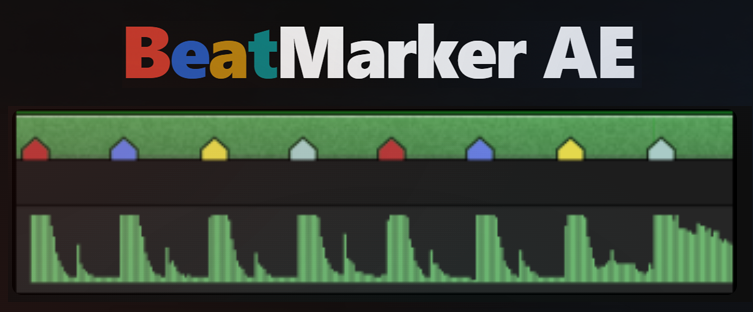
UXP in AE runs in a restricted environment that makes it impractical for plugins that need to decode audio files in real time. CEP, on the other hand, runs inside a full Chromium browser context with Node.js access — which means the Web Audio API, music analysis libraries, file system access, the whole stack. For BeatMarker AE (a plugin that detects BPM from audio layers), CEP was the only viable path.
So Claude Code dug into CEP in 2026 — and what it found was a partially undocumented, slightly broken, but absolutely functional platform. This is the guide that didn't exist.
The Install Path Adobe Forgot to Tell You
Every tutorial on CEP extensions shows you the standard install paths. You drop your extension folder there, restart the app, done. Except in After Effects 2026, those paths simply don't work. The app loads nothing. No error. No log. Just silence.
The paths that don't work in AE 2026:
%APPDATA%\Adobe\CEP\extensions\         ← nothing
C:\Program Files (x86)\Common Files\Adobe\CEP\extensions\  ← nothing
The path that does work:
C:\Program Files\Adobe\Adobe After Effects 2026\Support Files\<your-folder>\Claude Code found this by inspecting a working extension that ships with AE 2026 — Adobe's own learning panel, com.adobe.LABOR.LearningPanel. By locating where that panel was installed and comparing its manifest format, Claude Code reverse-engineered what AE 2026 actually expects. It was the only reliable source of truth.
The Manifest: Copy From the Wrong Version and Nothing Works
CEP manifest files have versioning, and the version matters enormously. Most Stack Overflow answers and tutorials reference CEP manifests for older versions of Creative Cloud apps — version 6.0, version 12.0. In AE 2026, those manifests load silently and do nothing.
The exact manifest format required by AE 2026:
<?xml version="1.0" encoding="UTF-8"?>
<ExtensionManifest Version="7.0"
  xmlns:xsi="http://www.w3.org/2001/XMLSchema-instance">

  <ExtensionList>
    <Extension Id="com.yourdomain.yourplugin" Version="1.0.0">
      <HostList>
        <!-- No decimal on minimum version -->
        <Host Name="AEFT" Version="[22,99.9]"/>
      </HostList>
      <DispatchInfoList>
        <Extension Id="com.yourdomain.yourplugin">
          <DispatchInfo>
            <Resources>
              <MainPath>./index.html</MainPath>
              <CEFCommandLine>
                <Parameter>--allow-file-access</Parameter>
                <Parameter>--allow-file-access-from-files</Parameter>
                <Parameter>--enable-nodejs</Parameter>
                <Parameter>--mixed-context</Parameter>
              </CEFCommandLine>
            </Resources>
            <Lifecycle>
              <AutoVisible>true</AutoVisible>
            </Lifecycle>
            <UI>
              <Type>Panel</Type>
              <Geometry>
                <Size><Height>580</Height><Width>260</Width></Size>
              </Geometry>
            </UI>
          </DispatchInfo>
        </Extension>
      </DispatchInfoList>
    </Extension>
  </ExtensionList>

  <ExecutionEnvironment>
    <HostList>
      <Host Name="AEFT" Version="[22,99.9]"/>
    </HostList>
    <LocaleList>
      <Locale Code="All"/>
    </LocaleList>
    <!-- Not 12.0 — use 11.0 -->
    <RequiredRuntimeList>
      <RequiredRuntime Name="CSXS" Version="11.0"/>
    </RequiredRuntimeList>
  </ExecutionEnvironment>

</ExtensionManifest>| ❌ Wrong | ✅ Required for AE 2026 |
|---|---|
| ExtensionManifest Version="6.0" | Version="7.0" |
| RequiredRuntime Version="12.0" | Version="11.0" |
| Host Version="[22.0,99.9]" | Version="[22,99.9]" (no decimal on minimum) |
| Missing CEFCommandLine flags | All 4 flags required for Node.js + file access |
PlayerDebugMode: The Hidden Unlock
Adobe requires extensions to be code-signed for production use. During development, unsigned extensions are silently ignored — unless you set a registry key that puts CEP in debug mode.
You need to set PlayerDebugMode = 1 (as a String value) in both of these registry paths:
HKCU\SOFTWARE\Adobe\CSXS.12\PlayerDebugMode = "1"
HKCU\SOFTWARE\Adobe\CSXS.13\PlayerDebugMode = "1"
The installer for BeatMarker AE handles this automatically via a .bat file using reg add. Without this step, the extension doesn't appear in the Window menu — and you get no error, no log, nothing to debug against.
The Two Worlds: Browser Context and ExtendScript
CEP plugins live in two separate environments that cannot directly call each other. Your UI (HTML/JS) runs in a Chromium browser. After Effects APIs run in ExtendScript — Adobe's ES3-based scripting language that hasn't meaningfully changed since 2005.
The only bridge between them is CSInterface.evalScript():
// Browser context (your UI)
const cs = new CSInterface();

// Call an ExtendScript function with a JSON argument
function callExtendScript(fnName, arg) {
  const payload = JSON.stringify(JSON.stringify(arg)); // double-stringify!
  cs.evalScript(`${fnName}(${payload})`, (result) => {
    const data = JSON.parse(result);
    // handle data
  });
}
The double stringify is not a bug — it's required. evalScript constructs a JavaScript call string. The outer JSON.stringify produces a quoted string literal that ExtendScript receives as its argument. The inner stringify is the actual payload that JSON.parse unpacks on the other side.
// ExtendScript (hostscript.jsx) — ES3 environment
#include "json2.js"  // JSON polyfill required!

function bmCreateMarkers(jsonArg) {
  var data = JSON.parse(jsonArg);
  var comp = app.project.activeItem;
  // ... do After Effects stuff
  return JSON.stringify({ ok: true });
}JSON object without JSON.parse. Check for the method specifically — typeof JSON.parse === 'undefined' — before polyfilling. Checking only typeof JSON === 'undefined' fails silently.
Audio Base64: The Invisible Newlines That Break Everything
Reading an audio file from the browser context in CEP uses cep.fs.readFile. It returns Base64. Simple enough — except the Base64 string has newlines embedded every 76 characters, and atob() throws InvalidCharacterError on whitespace.
The fix is one line, but you will waste 45 minutes before you figure this out:
// ❌ This crashes with InvalidCharacterError
const buffer = atob(result.data);

// ✅ Strip whitespace first
const bin = atob(result.data.replace(/\s+/g, ''));
const bytes = new Uint8Array(bin.length);
for (let i = 0; i < bin.length; i++) bytes[i] = bin.charCodeAt(i);
const audioBuffer = bytes.buffer;
Once you have the ArrayBuffer, it goes straight into the analysis pipeline — WAV decoder, beat detection, all of it. The browser context in CEP has full Web Audio API access, which is exactly why CEP was chosen over UXP for this plugin.
Markers That Show Too Much: The setParameters Secret
After Effects markers have several text fields: comment, chapter, URL, frame target. Every one of them shows up on the timeline marker shield — that little flag icon that appears on your layer. For a beat detection plugin that creates hundreds of markers, having visible text on every single one is a disaster for readability.
Claude Code went through every field in the MarkerValue API to find which ones were invisible:
| MarkerValue Field | Visible on Timeline Shield? |
|---|---|
comment | Yes ❌ |
chapter | Yes ❌ |
url | Yes ❌ |
frameTarget | Yes ❌ |
setParameters({ b: '1' }) | No ✅ |
setParameters() is a key-value store that's part of the marker but invisible on the timeline. BeatMarker uses it to store the beat position (1–4) in each marker. This means the timeline shows clean color-only markers — exactly what a video editor needs.
// In ExtendScript
var marker = new MarkerValue('');
marker.setParameters({ b: String(beatPos) }); // 1, 2, 3, or 4
layer.property('Marker').setValueAtTime(timeInSeconds, marker);
The Flicker Problem: Why 300 Markers Made AE Crash
The first version of the phase shift feature (which shifts the beat grid by one position) used the obvious approach: clear all markers, recreate them at new positions. For a song with 300 beats, this meant 300 remove operations followed by 300 add operations. After Effects redraws its audio waveform on every single marker operation. The result was visible flicker — a half-second freeze where the waveform blinked.
The solution: a differential update algorithm. Instead of clear+recreate, calculate which markers change state and only update those:
// Compute the diff between current and target state
const toRemove = currentMarkers.filter(m => !targetSet.has(m.getTime()));
const toAdd    = targetBeats.filter(t => !currentSet.has(t));
const toUpdate = currentMarkers.filter(m => targetSet.has(m.getTime()));

// Only remove/add the changed ones
toRemove.forEach(m => layer.property('Marker').removeKey(...));
toAdd.forEach(t => layer.property('Marker').setValueAtTime(t, newMarker));

// Update in-place via setValueAtKey — does NOT trigger waveform redraw
toUpdate.forEach(m => layer.property('Marker').setValueAtKey(keyIndex, newValue));
For a phase shift of ±1 step, this reduces marker operations from ~600 to approximately 150 — and more importantly, setValueAtKey updates a marker's color without triggering the waveform redraw. The flicker was gone.
Shipping It: The One-Click Installer
The CEP install path being inside the AE application folder makes distribution complex. Users can't just unzip into a standard extensions folder. The BeatMarker AE installer is a .bat script that:
- Reads the AE 2026 install path from the Windows registry
- Falls back to the default path if the registry key isn't found
- Sets
PlayerDebugMode = 1in both CSXS.12 and CSXS.13 - Copies the extension folder to the correct location
- Prompts the user to restart After Effects
The result: a plugin that installs with one double-click, no manual registry editing, no ZIP extraction into obscure folders. For a tool built by a video editor, for video editors, that level of friction reduction matters enormously.
The Short Version
CEP in After Effects 2026 works. It's just not documented anywhere that still applies. If you're building an AE plugin that needs real audio processing, full Node.js access, or Web Audio APIs — CEP is still the right choice and it ships production plugins today.
The plugin built from all of this: BeatMarker for After Effects — open source, free, and built entirely with Claude Code by a video editor who had never written a CEP panel in his life.