OcarinaCTRComposer

tap speaker icon for sound

Luma3DS plugin USA · Title ID 0004000000033500 v1.0.0

A cheats + tools overlay for The Legend of Zelda: Ocarina of Time 3D, built on CTRComposer — a raw, self-rendered .3gx engine with no game hooks.

Download latest release View on GitHub
Latest version Total downloads

If you find it useful, consider:
Support me on Ko-fi

Press SELECT, and the menu is yours

Everything renders on top of the running game — no CTRPluginFramework build to match, no hooks into game code. Open it with SELECT, and it resumes exactly where you left it, even mid-tool, the next time you open it.

What's inside

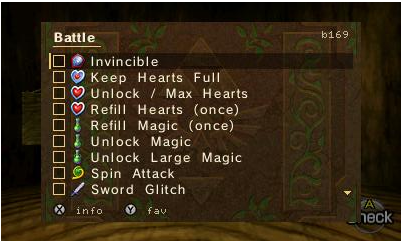
Battle folder with cheats and live checkboxes

~60 cheats

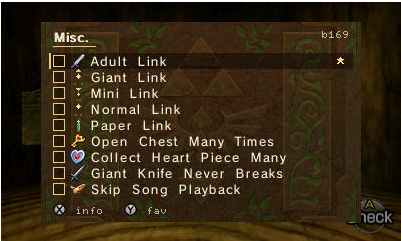
Movement, Battle, Inventory, Time, Quest and Misc — data cheats and code patches (Invincible), with item pickers using the real inventory sprites.

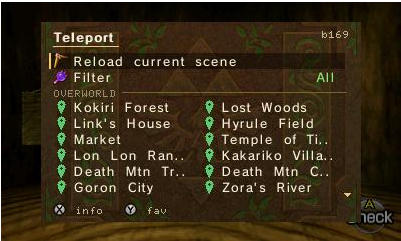
Teleport folder, a filterable grid of warp destinations

Teleport

30 mapped warp destinations across the overworld and every dungeon, filterable by category, reliable for both child and adult Link.

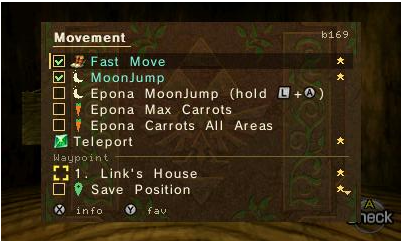
Movement folder showing a self-named waypoint slot

Self-naming waypoints

9 save/warp slots that name themselves after the area — "3. Water Temple R2" — and persist across sessions and age changes.

Misc folder with the Toggle Age entry

Toggle Age

Swap child ↔ adult on the fly. The label and sword icon always show the age you're about to become.

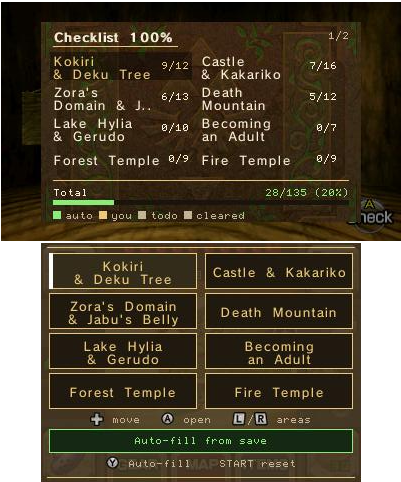
100% Checklist hub with per-area progress bars

100% Checklist

Tracks completion by area. Auto-fill reads your save and stays in sync with whichever file is loaded — add what you have, drop what you don't.

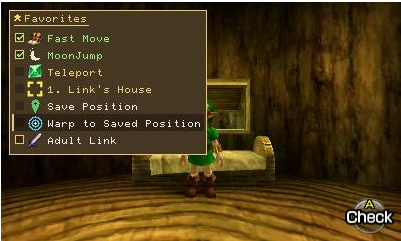
Quick Menu with favourited cheats and shortcuts

Quick Menu

Favorite any cheat, teleport destination, folder or tool for one-press access, opened with a configurable hotkey combo.

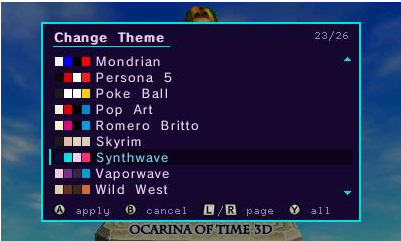
Change Theme picker showing the Synthwave palette

26 color themes

Live preview while you scroll — the classic parchment plus 25 more, from Game Boy Classic to Synthwave.

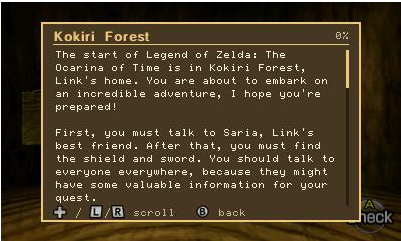
The embedded Game Guide reader

Embedded Game Guide

A full OoT3D walkthrough readable on the top screen, in six languages, plus an in-plugin guide to every feature.

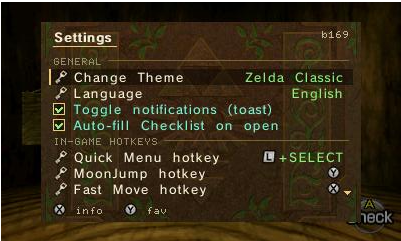
Settings screen with rebindable hotkey rows

Rebindable hotkeys

MoonJump and Fast Move read their trigger from a table you control — cycle the binding in Settings, plus a one-tap reset back to the defaults.

Tools

Cheat SearchKnown/unknown value scan, undo, region filter — with an on-screen keypad styled after the OoT3D keyboard.
RAM DumperSave any block of memory to a .bin on the SD card.
Hex EditorBrowse memory as a live hex grid and edit any byte on the spot.

Install

Manual

  1. Download OcarinaCTRComposer.3gx from the latest release.
  2. Copy it to sdmc:/luma/plugins/0004000000033500/ — or extract the SD-ready .zip from the same release straight onto your SD card root.
  3. Enable the plugin loader in Rosalina (L + Down + SELECT → Plugin Loader → Enabled).
  4. Launch Ocarina of Time 3D (USA) and press SELECT.

Via Universal-Updater

samaBR85 UniStore QR code

Have Universal-Updater on your 3DS? Scan this QR in Settings → Select UniStore → + → Scan QR Code, then pick OcarinaCTRComposer and Download. It installs straight to your SD card — no PC needed.

Same samaBR85 store used by Gen6 CTRPF Overhauled — if you already added it for that plugin, OcarinaCTRComposer is already there too. No scanner handy? Settings → Select UniStore → + → enter the URL instead:
raw.githubusercontent.com/samaBR85/Gen6CTRPFrameworkOverhauled/main/unistore/gen6ctrpf.unistore

USA version only (Title ID 0004000000033500). Cheat addresses are anchored to that build — on EUR/JPN they're very likely different, and enabling them one at a time is the safe way to find out.

Credits

Rendering techniques referenced from CTRPluginFramework.